Used Ink Batches
This view focuses on ink batch handling, specifically, which ink batches were filled into the printer and which are currently in use. It also helps prevent expired ink from remaining in the machine.
At the top of the view, you will find:
- Search: You can filter by one or more specific colors.
- Filter by Color: You can filter by one or more specific colors.
- Only Active Batches: Displays only the batches currently loaded in the printer.
- Erroneous Batches: Filters for batches with known issues (for example: expired ink).
- Pagination and items-per-page control on the top right
If a critical issue with your inks is detected, a red banner will appear at the top of the ink batch list.
If an ink batch is nearing expiration, a yellow warranty banner will be shown at the top as a warning.
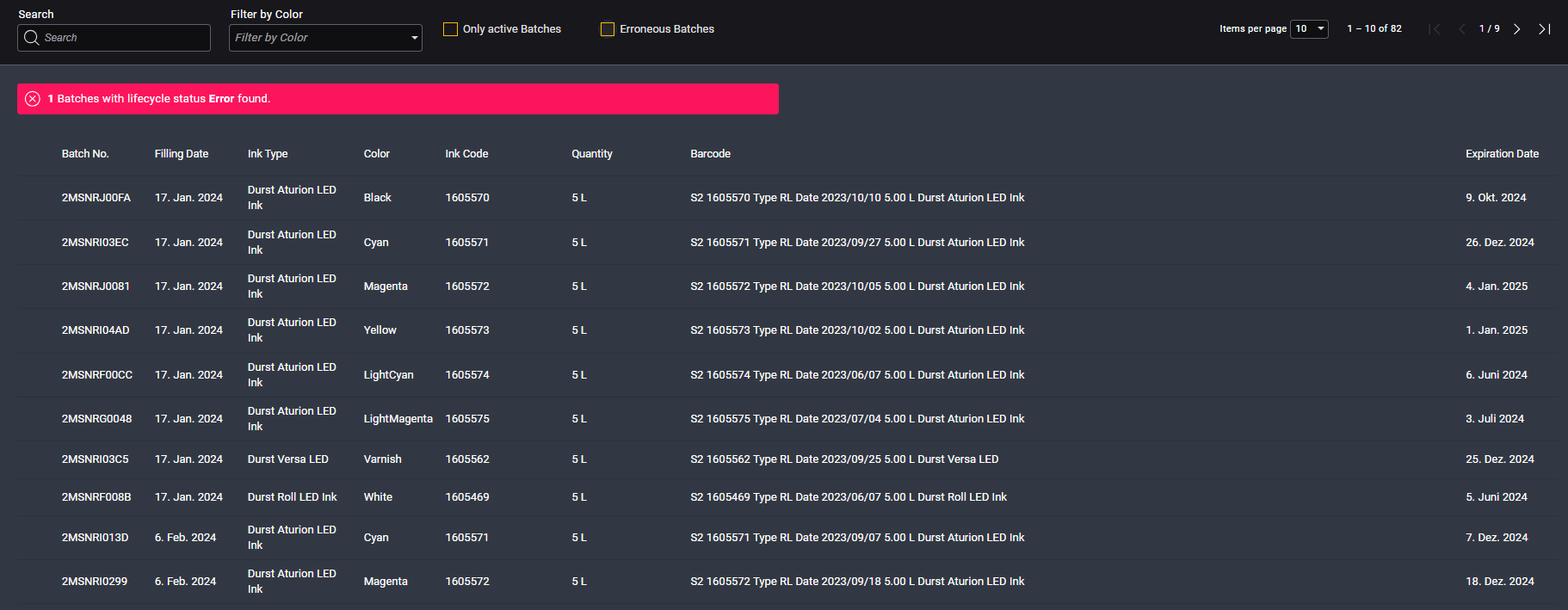
Table Column Descriptions
| Column Name | Description |
|---|---|
| Batch No. | Unique identifier showing which production batch the ink comes from |
| Filling Date | Date the ink was scanned and filled into the machine |
| Ink Type | Type of ink used in the machine |
| Color | Color of the ink as written on the QR code |
| Ink Code | Order number for the ink (used when reordering from Durst) |
| Quantity | Volume of the cubitainer filled into the system |
| Barcode | Full barcode read from the QR code |
| Expiration Date | Expiration date of the ink, expired ink shouldn't be used in machines |
Please ensure you scan the correct QR code.
The outer box of a 2x5L cubitainer will show 10L as total volume, only scan this if you're filling both 5L containers.
Otherwise, always scan the code printed on the individual 5L cubitainer.
The table is fully populated only if inks are scanned via the QR scanner.
Manual entry may lead to missing or incomplete data.
Erroneous Batches
If an incident occurred with a specific ink batch, you can click on its row to view detailed action tracking and lifecycle history.
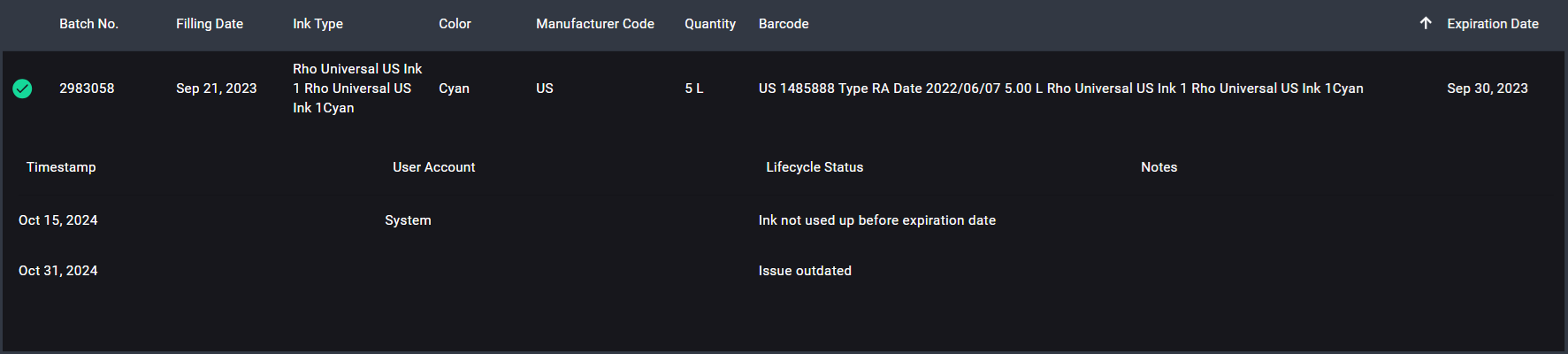
If a row doesn't show an icon, the ink batch has no recorded issues and was used without incident.
| Icon | Description |
|---|---|
 | Ink was used in the system after the expiration date |
 | The ink has expired, but the customer accepted the risk, and customer support marked it as risk accepted |
 | Ink is approaching expiration and should be used up or drained |
 | Ink was used after expiration, drained, and set to monitoring by customer support |
 | Following the drain, the system underwent monitoring. If no issues arose, support marked the case as resolved |
Expired ink can negatively affect print quality, clog filters, damage printheads and void your warranty.