Intro
This section outlines the Printer Details feature in Durst Analytics Cloud, which serves as the core view of the application and is the default page after login. It provides comprehensive, real-time information for each connected printer, including its current status, configuration, and key performance indicators.
Cloud vs Collector
The printer details section in the Durst Analytics Cloud is the same one like in the Durst Analytics Collector.
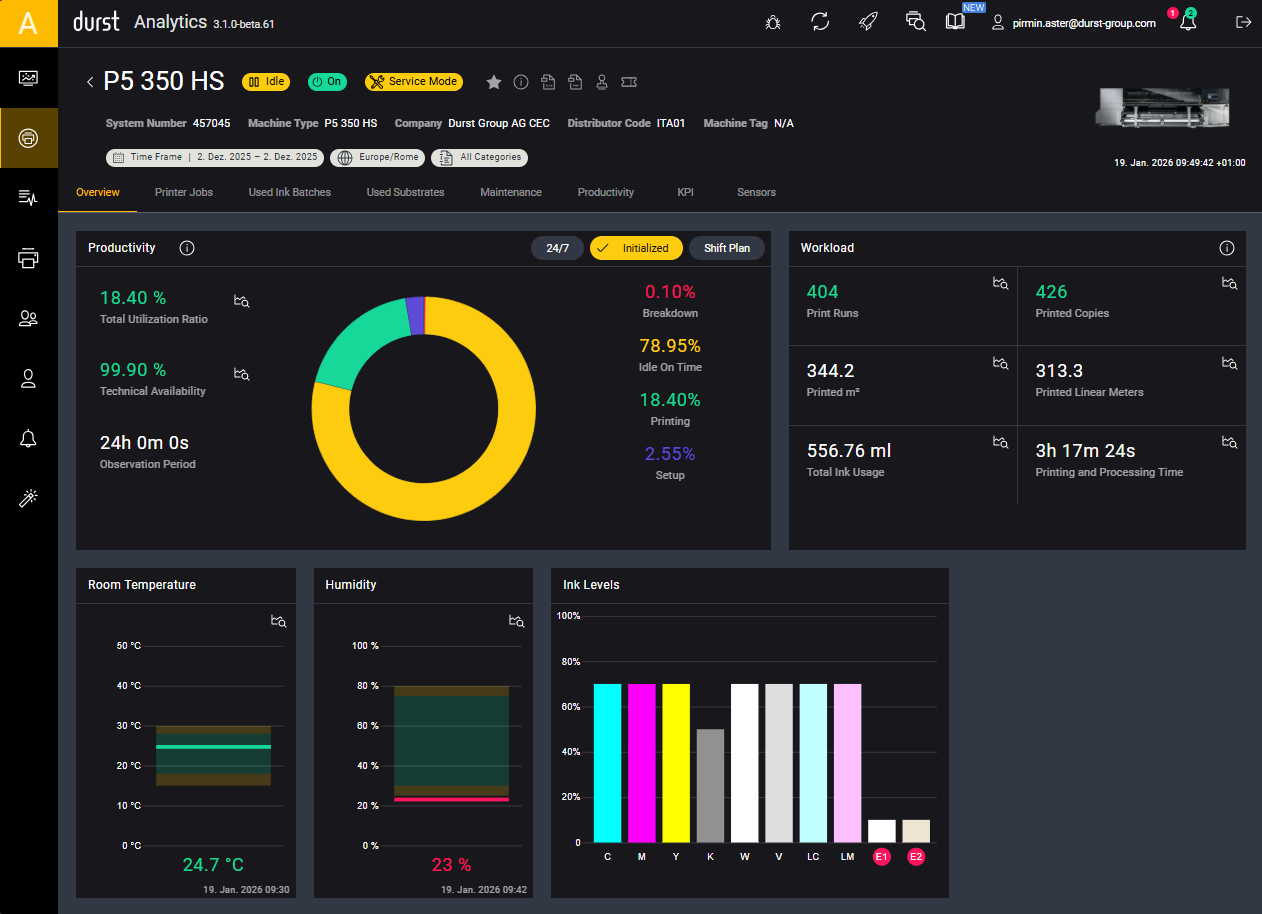
The page is accessible from the main navigation sidebar and enables users to monitor and manage individual printers.
At the top of the page, a dedicated printer header displays -> Header:
- The currently applied filters
- Printer status and system information
- Key details such as system number, machine type, and timezone
The Printer Details view is divided into the following seven sections: