Maintenance
The Maintenance view provides an overview of all maintenance-related messages, warnings, and error history for the selected printer. It helps you:
- Identify pending service tasks
- Track resolved issues
- Ensure optimal printer health
At the top of the view, a search bar allows you to search by:
- Message Code
- Message Text
- Description
You can also filter messages by Message Category:
- Information: General info for the operator shown in the printer software
- Warning: Issues that don't require immediate attention but should be addressed
- Critical: Critical errors requiring immediate action
- Question: Prompts from the software asking the operator to confirm or handle specific cases
- Error: Errors that stop a print job in progress or prevent it from starting
- Undefined: Default category used when the printer can't assign a specific type (common in older devices)
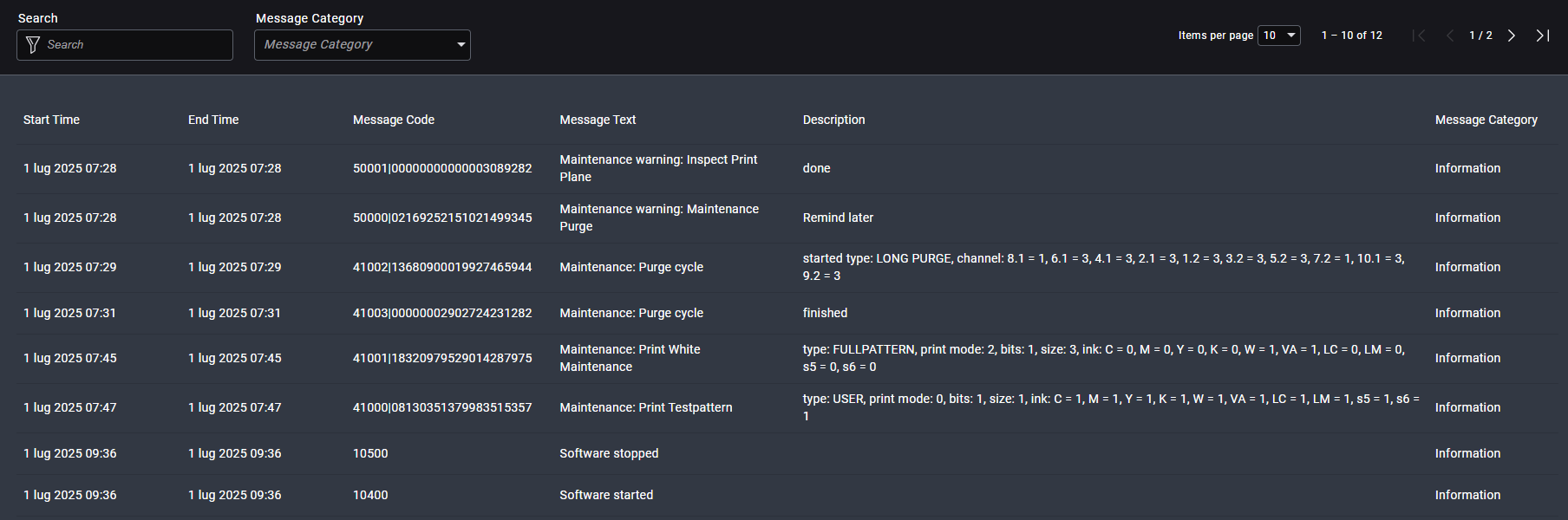
Table Column Descriptions
| Column | Description |
|---|---|
| Start Time | Timestamp when the message occurred |
| End Time | Timestamp when the message was resolved or accepted by the operator |
| Message Code | Internal machine code referencing the specific message |
| Message Text | Description of the message or error |
| Message Category | Current state or severity of the issue (for example: Open, In Progress, Resolved) |
caution
Critical errors should be addressed immediately to avoid printer downtime. Refer to the printer manual or contact Durst support if the issue remains Open.
Detailed Information
If supported by your system, clicking on a message reveals additional technical details such as Duration, Subsystem and Instance Info.
