Used Substrates
The Used Substrates view displays all substrates that have been loaded and consumed on your printer. It helps track rolls or sheets inserted over the material's lifetime, supporting inventory management and identifying usage patterns.
This section is one of the few exceptions to the global timeframe filters. The consumption shown reflects the total lifetime usage of each material and can't be filtered by date.
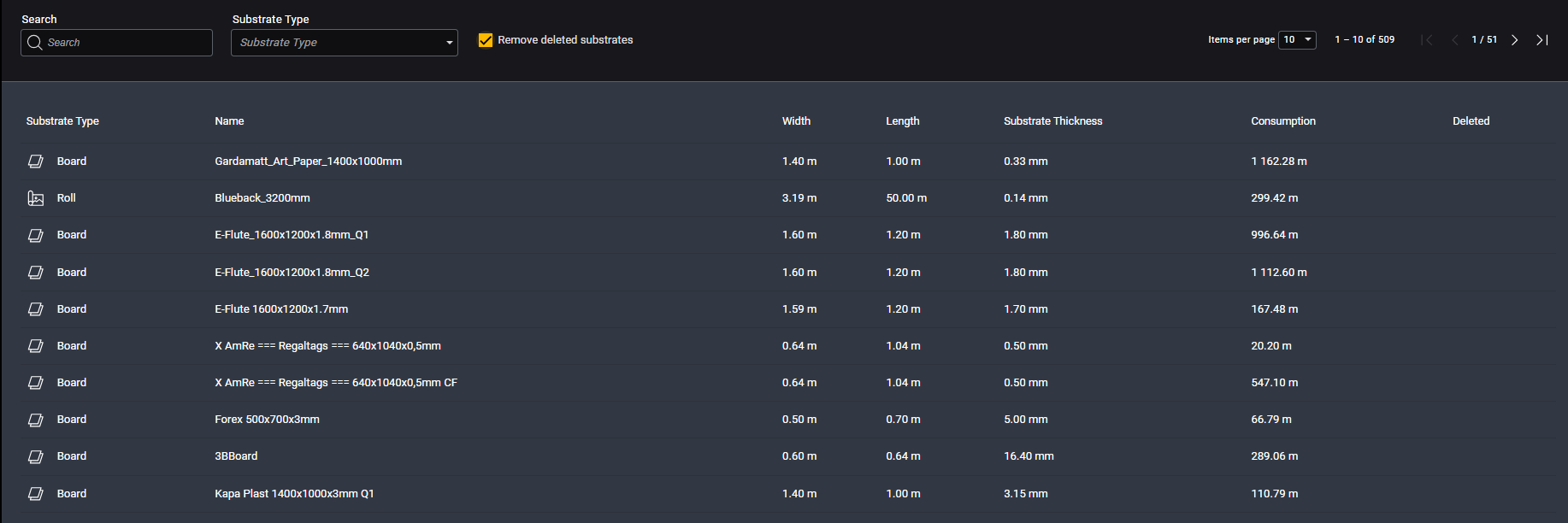
This list is also used to import substrate data from Analytics into Durst Workflow and represents the materials available for selection.
Table Description
| Name | Description |
|---|---|
| Substrate Type | Type of substrate, such as Board, Roll, Mesh, or empty if the machine can't detect it |
| Name | The name assigned to the material upon creation |
| Width | Material width in m |
| Length | Material length in m |
| Substrate Thickness | Thickness of the substrate in mm |
| Consumption | Total lifetime consumption of the material |
| Deleted | Substrates deleted from the printer are marked with an “X” |
Substrates marked as deleted are excluded during imports to Durst Workflow to ensure only active and selectable materials are available.
Since material data is entered manually, it's important to follow a consistent naming convention. Inconsistent naming can make analysis difficult.
While it's technically possible to modify material data, we don't recommend it. The current implementation doesn't support change tracking, which can lead to data inconsistencies.